

An AI hiring portal for employers
Chapta · Full product build
OpenKit built the employer side of Chapta, where a hiring team sets out a role and reviews the candidates the matching returns.
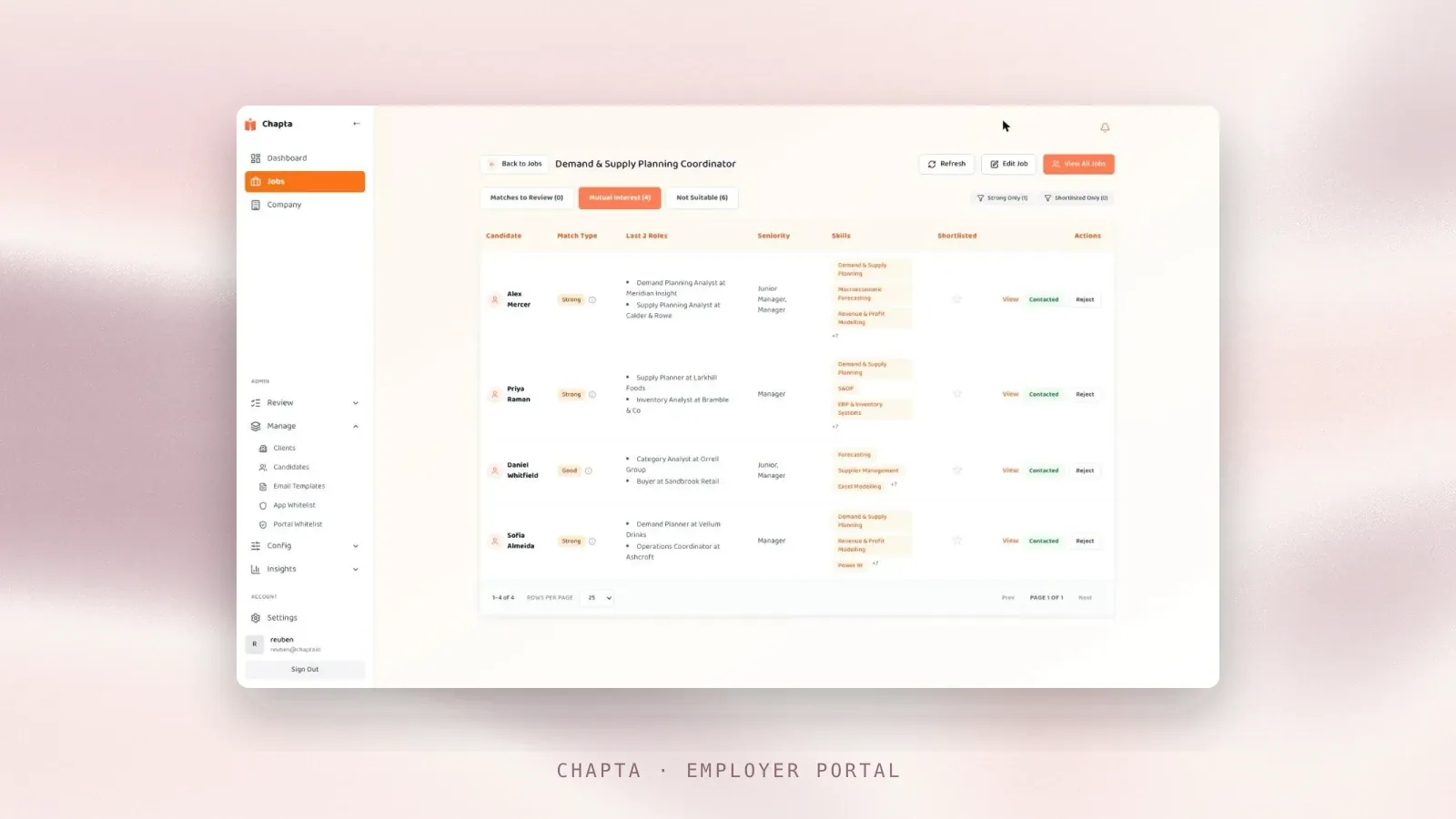
The screen is the live employer portal, and the candidate and company details in it are invented.
Overview
Chapta is a two-sided hiring platform. Candidates build their profile in a conversation with the app and employers hire from the portal OpenKit built for them.
The usual route is to post a role, receive a flood of speculative applications and hand the sorting to a keyword filter that cannot see working style or aspiration, so good candidates are screened out for the wrong words. In the Chapta portal each candidate arrives already matched to the role with the reasoning attached.
Explainable
Every match arrives with its reasoning
Live
Employers using Chapta hire through it
Mutual interest
Candidates opt in before the employer makes contact
Behavioural
Working style read alongside the skills
Approach
What OpenKit built
The portal takes the employer from writing the role to the first conversation with a candidate:
- Job setup, where the employer writes the role once and sets the criteria the matching runs against.
- A shortlist of candidates matched by the model and ranked by fit.
- Match insights on each candidate record, showing criterion by criterion where the candidate and the role line up and where they do not.
- A behavioural read, taken during the candidate’s onboarding, that puts working style next to experience.
- Contact that opens only once the employer and the candidate have both opted in.
OpenKit designed it in line with UK GDPR and UK data residency.
The screens
Inside the employer portal

Each matched candidate shows a match strength, their last two roles and the skills behind the match.

The panel ticks off role experience, location, responsibilities, industry and work arrangement one by one. The product and sales-channel criteria show plainly where this candidate does not fit.

The matching reads against the role description and its key responsibilities. The form warns in plain terms that criteria drawn too tight will return few matches or none.

Job setup is split into basics, detail, compensation and role specifics, with progress tracked against each so a half-finished role is obvious before it goes live.
The screens are the live employer portal, and the candidate and company details in them are invented.
Result
Employers hiring through the portal
The portal is live and the employers using Chapta hire through it. They can see a candidate’s fit in the match insights before spending an hour in an interview to find out. Every first message goes to a candidate who has already chosen to talk.
Status is visible to both sides, so candidates are kept informed and the employer’s reputation is not worn down by silence.
Other engagements
What could your business do with AI?
Find out with experts who become part of your team. We uncover opportunities, get ideas working, and help your people build on the results. We reply within one working day.
Get in touch AI Engineering